Author: Jack Cao

  • Luxury Floor Lamp

    Elegant gold floor lamp with shade

    Luxury Gold Floor Lamp

    Elegance That Transforms Any Room

    $899

    Elevate your home with a statement piece that whispers sophistication. This Luxury Gold Floor Lamp is designed for those who appreciate refined beauty, premium craftsmanship, and timeless style.

    Crafted with a brushed gold metal frame, artisan-cut crystal detailing, and a solid marble base, this lamp brings an instant sense of opulence to any space. Its soft, diffused glow from the premium fabric shade creates a warm, inviting atmosphere—perfect for living rooms, master bedrooms, reading corners, or upscale offices.

    BUY NOW

    Simply Elegant

    Every element is thoughtfully designed to exude luxury—from the sculpted stem to the subtle contour of the shade—making it not just a lamp, but a centerpiece that elevates your interior aesthetic.

    A Statement of Taste

    This lamp speaks volumes without overpowering your space. Its warm, golden glow creates an inviting ambiance that instantly transforms any corner into a refined retreat. Whether placed beside a designer armchair or used to anchor a high-end living area, it delivers a polished finish that feels effortlessly upscale.

    Crafted for the Modern Connoisseur

    Made for those who appreciate the harmony between art and function, its stability, weight, and premium materials give it a presence you can feel. The marble base not only provides balance but also adds a natural sophistication that pairs beautifully with contemporary, minimalist, or luxury-classic decor.

    Designed to Be Seen

    More than illumination, it brings dimension and depth to your room. Its soft light enhances textures, highlights architectural detailing, and creates a cinematic glow that elevates the mood. Perfect for homes that value both comfort and high-style living.

    Enduring Luxury

    Built to last, this lamp combines traditional craftsmanship with modern elegance. Its timeless design ensures it remains a beloved fixture in your home for years—never going out of style and always adding a touch of grandeur.

  • 50 Home Renovation Tips 2025

    Revamping your home can be an exciting yet daunting task. Whether you’re looking to increase property value, improve functionality, or simply refresh the aesthetic, understanding essential home renovation tips is key.

    Best Kitchen Renovation Tips

    Transforming your kitchen can enhance functionality and aesthetics. Here are some of the best kitchen renovation tips to consider.

    Tip 1: Plan Your Layout

    Optimize the work triangle by placing the stove, sink, and refrigerator in a convenient arrangement.

    Tip 2: Choose Quality Materials

    Invest in durable materials for countertops, cabinets, and flooring to ensure longevity.

    Tip 3: Maximize Storage

    Incorporate pull-out shelves, deep drawers, and vertical storage solutions to utilize space efficiently.

    Tip 4: Lighting Matters

    Use a combination of ambient, task, and accent lighting to create a bright and inviting atmosphere.

    Tip 5: Incorporate an Island

    If space permits, add an island for extra counter space and seating.

    When embarking on a home renovation project, it’s crucial to understand the scope of work involved. Begin by identifying which areas of your home are ripe for improvement, whether it’s your kitchen, bathroom, or living space. For instance, if you’re considering a kitchen renovation, think about how you use the space. Are you an avid cook? Perhaps you need more counter space or a larger stove. Consult with friends or family who have renovated their kitchens for tips and insights on making the most of your space. This foundational understanding will guide every step of your project.

    These home renovation tips will help you navigate your project effectively.

    Your budget is one of the most critical components of your renovation project. Before you start, take the time to assess your finances and determine how much you can realistically spend. It’s often advisable to set aside an additional 10-20% for unexpected expenses that can arise, such as hidden damage or changes in materials. Consider speaking with a financial advisor or using budgeting tools to help you manage your funds effectively during the renovation process.

    As you dive deeper into your project, gather inspiration from various sources. Utilize online platforms like Pinterest or Instagram to explore design ideas that resonate with your vision. Additionally, visiting local home improvement stores can provide you with hands-on experience with materials, colors, and layouts. Don’t hesitate to create a mood board that encapsulates the style and atmosphere you’re aiming for in your renovated space.

    Best Living Room Renovation Tips

    When it comes to hiring contractors, do your due diligence. Ask for recommendations from friends, check online reviews, and ensure that any contractors you consider are licensed and insured. Schedule interviews with potential candidates to discuss your project in detail and gauge their expertise. A reliable contractor will not only have the skills necessary for the job but will also communicate effectively and be transparent about costs and timelines.

    Tip 1: Select One of These Color Themes

    home renovation tips

    To keep your renovation on track, establish a timeline that outlines each phase of the project. Break down the work into manageable segments and set deadlines for completion. This approach helps keep everyone accountable and allows you to monitor progress easily. Be open to adjusting the timeline as needed, particularly if unforeseen complications arise. Flexibility is vital, as it can often lead to better solutions and outcomes.

    Tip 2: Brightness

    In conclusion, remember that home renovation is not merely about aesthetics; it is about creating a space that functions well for your needs and lifestyle. The planning phase is just as important as the execution, and taking the time to consider every aspect of the renovation will lead to a more satisfying outcome. Keep these home renovation tips in mind as you embark on your journey, and don’t forget to enjoy the process and the results!

    Ultimately, these home renovation tips can serve as a comprehensive guide to navigate the process smoothly and successfully. By planning thoroughly, budgeting wisely, and communicating openly, you’ll ensure that your home renovation journey is as fulfilling as the dream home you wish to create. With the right approach, your renovated space can reflect your personal style and enhance your lifestyle, making it a true sanctuary for you and your family.

    After completing your renovation, take time to assess the final outcomes. Evaluate whether the project met your initial goals and how effectively it transformed the space. Solicit feedback from family and friends who visit, as their perspectives can provide valuable insights into the functionality and aesthetics of your new space. Lastly, consider sharing your renovation story online or through local community boards to inspire others who may be contemplating their renovation projects.

    From planning and budgeting to selecting materials and executing designs, these 50 home renovation tips will guide you through the process, ensuring your project is both successful and satisfying.

    Get ready to transform your space into the dream home you’ve always envisioned.

    Start by creating a detailed plan that outlines your goals and priorities for the renovation.

    Researching local contractors and obtaining multiple quotes can help you find the right expertise within your budget.

    As the project unfolds, maintain a clear line of communication with all parties involved. Regular updates on progress and challenges help prevent misunderstandings and keep everyone aligned with the project’s goals. Also, documenting the renovation process through photos and notes can be beneficial for future projects or if you decide to sell your home down the line. Embrace each step of the renovation journey, recognizing that setbacks are often part of the process. The ultimate goal is to create a space that you can enjoy for years to come.

  • Best WordPress SEO Plugins for Small Businesses

    Running a small business is tough enough without having to learn SEO from scratch. The right WordPress plugin can take care of the technical side — making sure your site shows up in Google, maps, and social media — while you focus on customers.

    This guide covers the best SEO plugins for small businesses in 2025, what makes them different, and how to set them up without wasting time or money.


    What small businesses need from an SEO plugin

    Unlike big publishers, small businesses usually don’t need heavy enterprise features. What matters more are:

    • Local SEO support (Google Business Profile integration, local schema, map embedding).
    • Simple setup (clear onboarding, no steep learning curve).
    • All-in-one tools (sitemaps, meta tags, redirects, social sharing).
    • Performance (lightweight plugin that won’t slow down your site).
    • Good free value (since budgets are often tight).

    Best WordPress SEO Plugins for Small Businesses in 2025

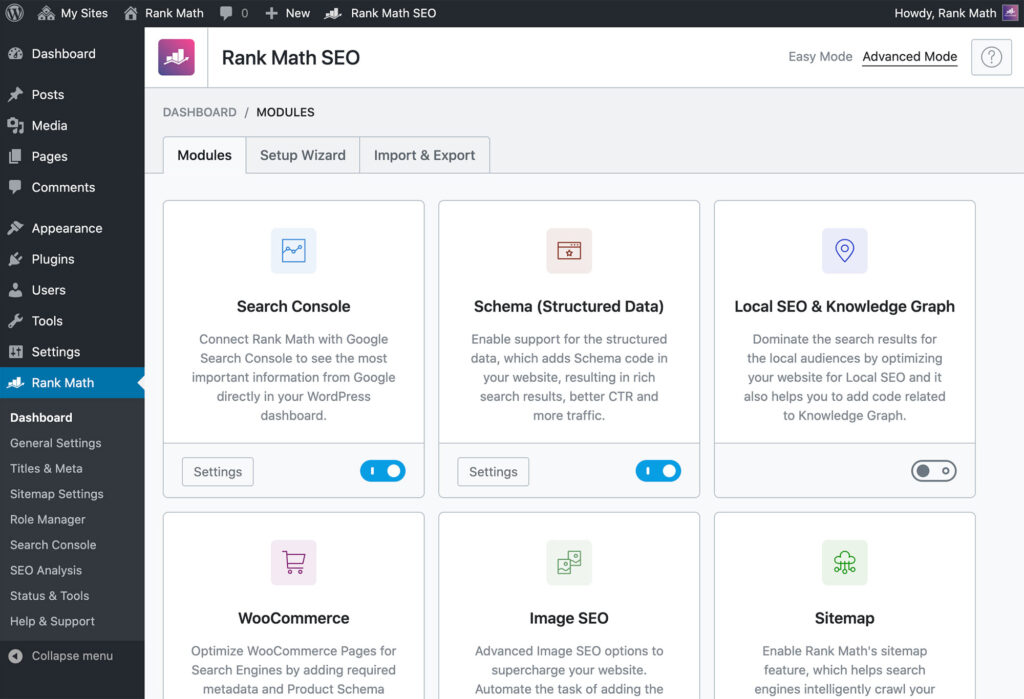
    1. Rank Math — Best all-in-one for growth

    • Why it’s great for small business: Comes with local SEO module, Google Maps integration, rich schema options, and analytics built in. Even the free version is generous.
    • Pros: Easy setup wizard, Google Business Profile compatibility, Content AI for quick page optimization.
    • Cons: Lots of features — can feel overwhelming if you just want the basics.

    ???? Best for service businesses (plumbers, cafés, salons) that want to rank locally and expand online visibility without buying multiple plugins.


    2. All in One SEO (AIOSEO) — Best beginner-friendly

    • Why it’s great for small business: The TruSEO checklist makes optimization step-by-step. It also has built-in local SEO schema, which helps your business appear in map results.
    • Pros: Simple dashboard, strong local SEO features, integrates search stats so you can track how people find you.
    • Cons: Some local SEO and advanced options are locked behind Pro.

    ???? Best for busy owners who want a “checklist style” SEO guide without hiring an SEO consultant.


    3. Yoast SEO — Best for content-heavy small businesses

    • Why it’s great for small business: Yoast’s traffic-light system makes optimizing blog posts and service pages easy. If your business relies on content marketing (blogs, guides, recipes, etc.), Yoast keeps things clear.
    • Pros: Strong readability checks, huge community tutorials, reliable history.
    • Cons: Local SEO features are in a paid add-on.

    ???? Best for small businesses that use blogs to bring in leads — think consultants, health coaches, or real estate agents.


    4. SEOPress — Best budget-friendly Pro option

    • Why it’s great for small business: Affordable pricing for unlimited sites, strong local SEO schema, and white-label option if you’re working with an agency or freelancer.
    • Pros: Privacy-friendly, fast, full-featured even in the free version.
    • Cons: Smaller community — less “hand-holding” than Yoast or AIOSEO.

    ???? Best for agencies serving small businesses or tech-savvy owners who want maximum value.


    5. The SEO Framework — Best lightweight “set and forget”

    • Why it’s great for small business: Automatically generates meta tags and schema with minimal setup. Doesn’t bombard you with notifications or upsells.
    • Pros: Lightweight, automated, stress-free.
    • Cons: Lacks detailed SEO checklists, so beginners may not learn “why” things matter.

    ???? Best for small businesses that don’t have time to tweak settings and just want SEO handled in the background.


    Quick setup tips for small businesses

    1. Choose one core plugin — don’t install multiple SEO plugins. They’ll conflict.
    2. Turn on Local SEO settings — enable local schema, business type, and map embedding.
    3. Connect to Google Search Console — so you see what people search for when they find you.
    4. Set up redirects — if you rename pages (like “services” → “our-services”), keep old links working.
    5. Add social profiles — plugins can help Google link your website to your Facebook, Instagram, and LinkedIn pages.

    Final recommendation (TL;DR)

    • For most small businesses: Rank Math (free version often enough).
    • If you want the easiest setup: AIOSEO.
    • If you blog for traffic: Yoast SEO.
    • If you want budget-friendly pro features: SEOPress.
    • If you want hands-off automation: The SEO Framework.
  • Best WordPress SEO Plugins in 2025 (Duplicate)

    SEO in 2025 still comes down to three things: clear on-page signals (titles, meta, schema), excellent content, and a fast, crawlable site.

    The plugin you choose should make those three easier without slowing your site or duplicating features you already have in your stack.

    Below I walk you through the top contenders in 2025, what each plugin does best, who should pick it, and practical setup advice so you don’t waste time.


    How I judged these plugins

    I focused on practical criteria that matter in 2025:

    • Core features: title/meta controls, XML sitemaps, structured data/schema, social/Open Graph support, breadcrumbs.
    • Advanced features: redirections, 404-manager, local/WooCommerce SEO, multi-site, and built-in analytics or GSC integration.
    • Performance: plugin weight, background processing, and database activity.
    • Value: free vs paid feature balance (what’s available without paying).
    • Usability & updates: UI clarity, changelog activity and ecosystem (add-ons/themes support).
    • Trust: active installs, changelog and vendor reputation.

    Best WordPress SEO Plugins for Bloggers in 2025

    1. Yoast SEO — Best for readability and beginners

    • Why it’s great for bloggers: Famous for its traffic light system (red, orange, green), which helps you polish SEO and readability before hitting publish.
    • Pros: Strong content analysis, readability checks, detailed tutorials.
    • Cons: Some advanced features (like multiple keywords) require premium.

    ???? Perfect for beginner and intermediate bloggers who want step-by-step guidance.


    2. Rank Math — Best all-in-one powerhouse

    • Why it’s great for bloggers: Lets you optimize for multiple keywords per post, includes a built-in schema generator for “Article” posts, and even has Content AI to suggest improvements.
    • Pros: Huge feature set even in the free version, integrates analytics.
    • Cons: So many options — can overwhelm minimalist bloggers.

    ???? Ideal for growth-focused bloggers who want advanced features without paying extra.


    3. All in One SEO (AIOSEO) — Best for social media bloggers

    • Why it’s great for bloggers: Includes TruSEO on-page checklist, headline analyzer, and social media previews so you control how posts appear when shared.
    • Pros: Easy onboarding, great for bloggers who promote heavily on social media.
    • Cons: Local SEO and advanced schema are premium-only (not always relevant for bloggers).

    ???? Great for lifestyle, travel, or food bloggers who rely on shares to grow.


    4. SEOPress — Best budget-friendly Pro option

    • Why it’s great for bloggers: Affordable premium plan, supports article schema, breadcrumbs, and multiple keyword optimization.
    • Pros: White-label, affordable, lightweight, no ads or upsells.
    • Cons: Smaller community compared to Yoast or Rank Math.

    ???? Perfect for experienced bloggers who want pro features without breaking the bank.


    5. The SEO Framework — Best minimalist option

    • Why it’s great for bloggers: Automatically generates SEO titles and descriptions, leaving you free to focus on writing.
    • Pros: Lightweight, no distractions, fast.
    • Cons: Fewer handholding features (no readability analysis).

    ???? Perfect for bloggers who already understand SEO basics and want a plugin that “just works” quietly in the background.


    Pro tips for bloggers using SEO plugins

    1. Focus on one keyword + one variation — plugins help, but don’t overstuff.
    2. Use readability checks — shorter sentences and headings keep readers hooked.
    3. Add schema (Article, How-To, Recipe) so your posts can earn rich snippets.
    4. Preview social posts — ensure titles and images are compelling for Facebook/X shares.
    5. Check analytics — plugins like Rank Math and AIOSEO show which posts bring in traffic.

    Final Recommendations (TL;DR)

    • If you’re new to blogging: go with Yoast SEO.
    • If you want advanced growth tools for free: pick Rank Math.
    • If you share heavily on social media: try AIOSEO.
    • If you’re on a budget but want pro features: choose SEOPress.
    • If you want a no-fuss, lightweight setup: go with The SEO Framework.
  • Best WordPress SEO Plugins in 2025

    SEO in 2025 still comes down to three things: clear on-page signals (titles, meta, schema), excellent content, and a fast, crawlable site.

    The plugin you choose should make those three easier without slowing your site or duplicating features you already have in your stack.

    Below I walk you through the top contenders in 2025, what each plugin does best, who should pick it, and practical setup advice so you don’t waste time.


    How I judged these plugins

    I focused on practical criteria that matter in 2025:

    • Core features: title/meta controls, XML sitemaps, structured data/schema, social/Open Graph support, breadcrumbs.
    • Advanced features: redirections, 404-manager, local/WooCommerce SEO, multi-site, and built-in analytics or GSC integration.
    • Performance: plugin weight, background processing, and database activity.
    • Value: free vs paid feature balance (what’s available without paying).
    • Usability & updates: UI clarity, changelog activity and ecosystem (add-ons/themes support).
    • Trust: active installs, changelog and vendor reputation.

    Sources consulted include vendor feature pages and recent comparisons and changelogs for 2024–2025.


    Top WordPress SEO plugins in 2025 (shortlist & quick verdict)

    1. Rank Math — Best for SEO power in the free version & advanced automation.
      Why: rich free feature set (multiple keyword analysis, integrated Content AI, schema generator, analytics) and active development. Good balance of features vs plugin size.
    2. Yoast SEO — Best for beginners and editorial workflows.
      Why: long track record, clear readability checks, strong multilingual integrations and an extensive knowledge base and timeline of feature releases. Still a solid choice for large editorial teams.
    3. All in One SEO (AIOSEO) — Best for built-in analytics & beginner-friendly setup.
      Why: polished onboarding, TruSEO on-page analysis, built-in search statistics and AI writing assistance in 2025. Good for site owners who want SEO + simple analytics in one plugin.
    4. SEOPress — Best value for privacy-focused sites and agencies.
      Why: freemium, white-label, solid feature pack (sitemaps, schema, local SEO, redirections) and agency-friendly licensing.
    5. The SEO Framework — Best lightweight, automated setup.
      Why: minimal UI, automatic meta generation, modular extensions for added features. Great if you want an unobtrusive plugin that “just works.”
    6. Special mentions: plugins that solve niche but important needs — Schema Pro (advanced structured data), Broken Link Checker / redirection plugins, and analytics connectors (MonsterInsights, simple GSC connectors). A good SEO stack often mixes one core SEO plugin + specialized add-ons.

    Deep dive: who each plugin is for, pros & cons

    Rank Math

    • Best for: site owners who want advanced features in the free tier (schema, multi-keyword, analytics).
    • Pros: large free feature set, active changelog and frequent updates, helpful Content AI tools.
    • Cons: feature richness can be overwhelming; plugin options require careful setup to avoid redundancy with other tools.

    Yoast SEO

    • Best for: editorial teams, large blogs, and sites that value clear content-readability and process.
    • Pros: very beginner friendly, clear traffic-light guidance for SEO/readability, strong documentation and integrations.
    • Cons: some advanced features moved behind paywalls; historically heavier than some rivals.

    All in One SEO (AIOSEO)

    • Best for: users who want an all-in-one plugin with simple analytics and on-page guidance.
    • Pros: TruSEO analysis, keyword assistant, built-in search stats, strong onboarding flows.
    • Cons: fewer granular editorial tools than Yoast; premium needed for some advanced features.

    SEOPress

    • Best for: agencies, developers, and privacy-conscious sites.
    • Pros: white label, affordable pro license, robust features without tracking or forced accounts.
    • Cons: smaller ecosystem of tutorials; fewer third-party integrations than Yoast/AIOSEO.

    The SEO Framework

    • Best for: minimalists who want automation with good defaults.
    • Pros: lightweight, automatic metadata, monetized via optional extensions (not required).
    • Cons: less handholding—if you want GUI-driven suggestions it’s lighter on that front.

    Practical setup recommendations (do this first)

    1. Pick one core SEO plugin — don’t run Rank Math + Yoast together. Migration wizards exist, but running two together causes duplicated meta output and bloat. (Use a migration tool if switching.)
    2. Connect Google Search Console — verify and connect via the plugin or use a lightweight GSC plugin so you can pull search appearance data. AIOSEO and Rank Math offer built-in analytics.
    3. Enable XML sitemaps in the plugin and submit them in GSC.
    4. Configure schema for your site type (Article, LocalBusiness, Product). Many plugins auto-generate schema—verify outputs with Schema validators.
    5. Turn off features you don’t need (e.g., if your theme already outputs breadcrumbs or structured data). This reduces conflicts and DB activity.
    6. Use redirects manager (either plugin’s built-in or a dedicated redirection plugin) to handle renamed/removed URLs.
    7. Performance check: after activating, run Query Monitor or a profiler to ensure the plugin isn’t adding slow queries—Rank Math and others publish changelogs and fixes for query optimizations.

    Recommended stacks (real-world examples)

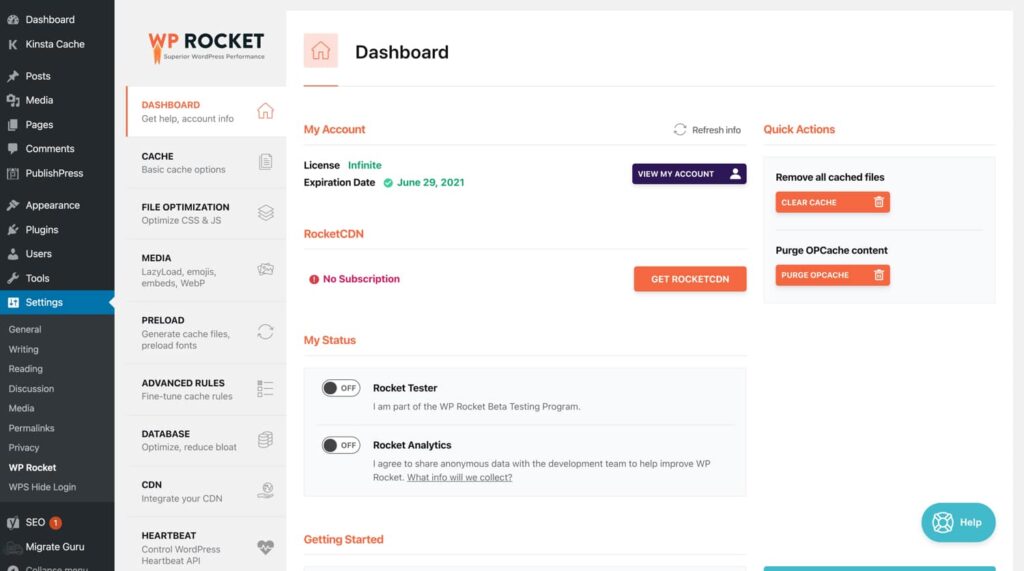
    • For small business / local SEO: AIOSEO (on-page + local SEO) + lightweight caching plugin (WP Rocket or native caching) + Schema Pro (if complex structured data).
    • For content-heavy blogs / publishers: Yoast (editorial guidance) + The SEO Framework (for automated metadata on secondary content, only if you can avoid duplication) — or simply Yoast + caching + CDN.
    • For agencies / developers: SEOPress Pro (white label + affordable multi-site license) + redirection manager + custom schema via code when necessary.

    Frequently asked questions

    Q — Should I use multiple SEO plugins?
    No. Use one core SEO plugin and complementary tools (schema add-on, redirects). Multiple core SEO plugins will conflict and may output duplicate meta tags.

    Q — Which plugin is fastest?
    Lightweight plugins like The SEO Framework and SEOPress are designed to be small and fast. Rank Math has worked on query optimizations and size; Yoast historically was heavier but remains widely optimized. Test on a staging site.

    Q — Do plugins matter if content is great?
    Content is primary, but plugins remove friction: correct schema, clean sitemaps, good canonicalization, and easy meta controls all help search engines understand content and avoid technical mistakes.


    Final recommendations (TL;DR)

    • If you want the most features without paying: try Rank Math.
    • If you want editorial workflows and best-in-class readability checks: choose Yoast SEO.
    • If you want built-in analytics and a gentle onboarding: consider AIOSEO.
    • If you need white-label & privacy-friendly licensing: SEOPress.
    • If you want minimal setup and speed: The SEO Framework.

  • AI Search Optimization — How to Rank in the LLM Era

    Key Takeaways

    What is AI Search Optimization?

    AI Search Optimization refers to the use of artificial intelligence technologies to enhance website visibility and ranking in search engine results. It involves leveraging algorithms and machine learning to analyze user behavior, optimize content, improve user experience, and adapt to search engine algorithms, ultimately driving organic traffic and improving SEO performance.

    What is the “answer-first” structure?

    An answer-first structure is putting a crisp, one-sentence direct answer (20 to 40 words) immediately after each H2/H3 so LLMs can extract it easily.

    Why should you add schema to your page for LLMs?

    Schema provides structured, machine-readable definitions of entities and their relationships, which helps LLMs and other AI systems distinguish concepts and interpret connections more accurately.

    What type of data are favored by LLMs?

    LLMs love explicit numbers, exact dates, table of data, and full source names. Entity-rich facts are easiest for LLMs to reference.

    Other notable Takeaways

    • Quote & highlight blocks: Short 20–40 word highlights increase chance of verbatim citations.
    • Technical hygiene: Fast load, canonical URLs, stable slugs and accessible HTML (H1..H6, IDs) are required for reliable LLM scraping.

    What is AI Search Optimization?

    AI Search Optimization (LLM SEO /GEO / AEO) is structuring and marking up your content so large language models can find, understand, and cite it when generating conversational answers.

    Unlike traditional SEO, which optimizes for ranking pages in a list of results, AI Search Optimization (also called Answer Engine Optimization, Generative Engine Optimization or GEO/AEO) optimizes for being extracted and cited by generative models and AI-driven search features — i.e., to appear inside an AI answer, overview, or assistant response.

    Why LLMs Change the SEO Game?

    • User behavior is shifting: A 2025 study reported that over 34% of Gen Z use AI chatbots for search.
    • Zero-click answers are accelerating: AI Overviews now appear in around 47% of desktop searches, up 102% within two months

    Why this matters:

    InsightExplanation
    AI-driven search isn’t dominant yet—but it’s growingChatbot traffic is small but climbing rapidly. Younger users increasingly rely on AI for discovery.
    AI favors concise, structured answersGenerative systems extract answers, not page ranks. Content must be answer-first and metadata-rich to get cited.
    Conversion dynamics are shiftingAI referrals (via Overviews and chat responses) engage users more deeply, even without clickthroughs.
    Market is adapting quicklyVenture-backed tools and platforms for AEO/GEO signal industry validation and urgency.

    LLM On-Page Checklist

    LLM on-page SEO focuses on structuring, marking up, and formatting content so that large language models can reliably extract, summarize, and cite it, rather than just ranking it in traditional SERPs.

    Here’s the checklist:

    AI Search Optimization
    • Answer-First Formatting: Featured snippets and AI Overviews favor this.
      • Begin each H2/H3 with a 1-sentence direct answer before elaborating
    • Add Structured Data / Schema
      • Use Article, FAQPage, and HowTo schema where applicable.
      • Add FAQ schema under Q&A blocks to explicitly signal “question-answer” pairs.
    • Add a Key Takeaway Section at the top of the page
      • Place a short summary bloc1k at the top in bullet points or Q&A format.

    How to Do Keyword Research in the AI Search Era?

    Even when searchers become more sophisticated with their search query, AI search platforms like ChatGPT, Perplexity, Claude, and others, search for multiple SEO optimized keywords on traditional search engines like Google, Bing, Yandex, etc, in the background.

    For example, a sophisticated search query could be “Can you tell me if there are any kids facial wash that are chemical-free, made with natural and organic ingredients, and under $15”.

    AI search platforms would probably search the following keywords on traditional search engines to get their answer:

    • Chemical-free facial wash for kids
    • Cheap organic facial wash
    • Organic kids facial wash
    • etc

    These traditional keywords can be broken down into layered search intents, such as:

    1. Chemical-free
    2. Organic and Natural
    3. Cheap

    So, the first step to doing keyword research in the AI search era is to know who you are targeting. Understand and predict what your customers will likely search for, and what are their layered search intents.

    Why Focus on Other Multimedia Formats for AI Search Optimization?

    AI search platforms like ChatGPT or Perplexity, do not only pull text for their answers, they increasingly pulls answers from images, videos, audios and other multimedia formats, so creating content in other multimedia formats give you more chances to be cited and surfaced.

    Here are some originally researched statistics that shows why you should focus more on creating videos, images, and audio to optimize for AI Search:

    Google Overview do not often cite from content ranking on the first pageOnly 1 – 3 top ranked articles are cited in the top 10 of AI Overview, the rest are from pages ranking on other related queries or from pages 2, 3, 4, etc.
    Google Overview often cite content from low domain authority sites.69% of cited sources were from sites with domain rating of below 40
    Google Overview often cite sources from the same website72% of cited sources are from the same website but targets different keywords
    YouTube videos are often cited in Google Overviews65% of AI overviews cited a YouTube video in the top 10 cited sources
    Reddit Threads are often cited by Google Overviews15% of AI overviews cited a reddit thread in the top 10 cited sources
    Google Overview often cite Quora Answers15% of AI overviews cited a Quora Answer in the top 10 cited sources
    Originally Researched by Rank Math SEO

    Why You Should Create llms.txt for AI Search Optimization?

    A llms.txt is a text file includes the anchor text, links, and description of the most important pages of your site.

    A typical markdown list item in the llms.txt looks like this:

    • [AI Search Optimization Guide](https://example.com/guides/ai-search-optimization): An important guide fir AI Search optimization

    This can be broken down into 3 parts:

    1. [AI Search Optimization Guide] – This is the anchor text for the link. It is typically the SEO Meta Title of the page
    2. (https://example.com/guides/ai-search-optimization) – This is the actual hypertext link to the page of your site
    3. An important guide fir AI Search optimization – This is the description or the Meta description of the page

    Adding a list of markdown page links and description tells LLMs that the links in the llms.txt are the most important pages of your site.

    Is it really important since there are reports saying that LLMs do not crawl the llms.txt file?

    llms.txt file is a proposed standard, and although it is not fully adopted yet, and may seem like LLM crawlers are not crawling the file, hundreds and thousands of businesses and AI models are quietly adopting the standard.

    Even Zapier, Stripe, Cloudflare, CoinBase and others are already implementing llms.txt on their site. Why shouldn’t you?

    Plus, there is no harm to your site, so we do not see a reason not to implement the llms.txt file.

    This is a test transcript to see if the accordion will hide this text behind a javascript.

    AI search platforms like ChatGPT or Perplexity, do not only pull text for their answers, they increasingly pulls answers from images, videos, audios and other multimedia formats, so creating content in other multimedia formats give you more chances to be cited and surfaced.

    Here are some originally researched statistics that shows why you should focus more on creating videos, images, and audio to optimize for AI Search:

    AI search platforms like ChatGPT or Perplexity, do not only pull text for their answers, they increasingly pulls answers from images, videos, audios and other multimedia formats, so creating content in other multimedia formats give you more chances to be cited and surfaced.

    Here are some originally researched statistics that shows why you should focus more on creating videos, images, and audio to optimize for AI Search:

    AI search platforms like ChatGPT or Perplexity, do not only pull text for their answers, they increasingly pulls answers from images, videos, audios and other multimedia formats, so creating content in other multimedia formats give you more chances to be cited and surfaced.

    Here are some originally researched statistics that shows why you should focus more on creating videos, images, and audio to optimize for AI Search:

    AI search platforms like ChatGPT or Perplexity, do not only pull text for their answers, they increasingly pulls answers from images, videos, audios and other multimedia formats, so creating content in other multimedia formats give you more chances to be cited and surfaced.

    Here are some originally researched statistics that shows why you should focus more on creating videos, images, and audio to optimize for AI Search:

    AI search platforms like ChatGPT or Perplexity, do not only pull text for their answers, they increasingly pulls answers from images, videos, audios and other multimedia formats, so creating content in other multimedia formats give you more chances to be cited and surfaced.

    Here are some originally researched statistics that shows why you should focus more on creating videos, images, and audio to optimize for AI Search:

    AI search platforms like ChatGPT or Perplexity, do not only pull text for their answers, they increasingly pulls answers from images, videos, audios and other multimedia formats, so creating content in other multimedia formats give you more chances to be cited and surfaced.

    Here are some originally researched statistics that shows why you should focus more on creating videos, images, and audio to optimize for AI Search:

    AI search platforms like ChatGPT or Perplexity, do not only pull text for their answers, they increasingly pulls answers from images, videos, audios and other multimedia formats, so creating content in other multimedia formats give you more chances to be cited and surfaced.

    Here are some originally researched statistics that shows why you should focus more on creating videos, images, and audio to optimize for AI Search:

    AI search platforms like ChatGPT or Perplexity, do not only pull text for their answers, they increasingly pulls answers from images, videos, audios and other multimedia formats, so creating content in other multimedia formats give you more chances to be cited and surfaced.

    Here are some originally researched statistics that shows why you should focus more on creating videos, images, and audio to optimize for AI Search:

    AI search platforms like ChatGPT or Perplexity, do not only pull text for their answers, they increasingly pulls answers from images, videos, audios and other multimedia formats, so creating content in other multimedia formats give you more chances to be cited and surfaced.

    Here are some originally researched statistics that shows why you should focus more on creating videos, images, and audio to optimize for AI Search:

    AI search platforms like ChatGPT or Perplexity, do not only pull text for their answers, they increasingly pulls answers from images, videos, audios and other multimedia formats, so creating content in other multimedia formats give you more chances to be cited and surfaced.

    Here are some originally researched statistics that shows why you should focus more on creating videos, images, and audio to optimize for AI Search:

    AI search platforms like ChatGPT or Perplexity, do not only pull text for their answers, they increasingly pulls answers from images, videos, audios and other multimedia formats, so creating content in other multimedia formats give you more chances to be cited and surfaced.

    Here are some originally researched statistics that shows why you should focus more on creating videos, images, and audio to optimize for AI Search:

    AI search platforms like ChatGPT or Perplexity, do not only pull text for their answers, they increasingly pulls answers from images, videos, audios and other multimedia formats, so creating content in other multimedia formats give you more chances to be cited and surfaced.

    Here are some originally researched statistics that shows why you should focus more on creating videos, images, and audio to optimize for AI Search:

    AI search platforms like ChatGPT or Perplexity, do not only pull text for their answers, they increasingly pulls answers from images, videos, audios and other multimedia formats, so creating content in other multimedia formats give you more chances to be cited and surfaced.

    Here are some originally researched statistics that shows why you should focus more on creating videos, images, and audio to optimize for AI Search:

    AI search platforms like ChatGPT or Perplexity, do not only pull text for their answers, they increasingly pulls answers from images, videos, audios and other multimedia formats, so creating content in other multimedia formats give you more chances to be cited and surfaced.

    Here are some originally researched statistics that shows why you should focus more on creating videos, images, and audio to optimize for AI Search:

    AI search platforms like ChatGPT or Perplexity, do not only pull text for their answers, they increasingly pulls answers from images, videos, audios and other multimedia formats, so creating content in other multimedia formats give you more chances to be cited and surfaced.

    Here are some originally researched statistics that shows why you should focus more on creating videos, images, and audio to optimize for AI Search:

    AI search platforms like ChatGPT or Perplexity, do not only pull text for their answers, they increasingly pulls answers from images, videos, audios and other multimedia formats, so creating content in other multimedia formats give you more chances to be cited and surfaced.

    Here are some originally researched statistics that shows why you should focus more on creating videos, images, and audio to optimize for AI Search:

    ChatGPT

    ChatGPT SEO

    AI search platforms like ChatGPT or Perplexity, do not only pull text for their answers, they increasingly pulls answers from images, videos, audios and other multimedia formats, so creating content in other multimedia formats give you more chances to be cited and surfaced.

    Perplexity

    Perplexity SEO

    Here are some originally researched statistics that shows why you should focus more on creating videos, images, and audio to optimize for AI Search:

    shaping the future

    Rank Math Review

    future of search engine optimization

    AI Search Platforms

    AI search platforms like ChatGPT or Perplexity, do not only pull text for their answers, they increasingly pulls answers from images, videos, audios and other multimedia formats, so creating content in other multimedia formats give you more chances to be cited and surfaced.

    Here are some originally researched statistics that shows why you should focus more on creating

    videos, images, and audio to optimize for AI Search:

    AI search platforms like ChatGPT or Perplexity, do not only pull text for their answers, they increasingly pulls answers from images, videos, audios and other multimedia formats, so creating content in other multimedia formats give you more chances to be cited and surfaced.

    Staistics

    Here are some originally researched statistics that shows why you should focus more on creating videos, images, and audio to optimize for AI Search:

    Multimedia Formats

    Best AI Platforms

    Perplexity vs ChatGPT

    AI Search Platforms

    AI search platforms like ChatGPT or Perplexity, do not only pull text for their answers, they increasingly pulls answers from images, videos, audios and other multimedia formats, so creating content in other multimedia formats give you more chances to be cited and surfaced.

    Test

    Here are some originally researched statistics that shows why you should focus more on creating videos, images, and audio to optimize for AI Search:

    Future of SEO

  • How to Optimize for Featured Snippets

    Featured snippets are a valuable asset in the realm of search engine optimization (SEO), serving as a means to capture the attention of users and improve click-through rates on search engine results pages (SERPs).

    These snippets display concise answers to user queries, often sourced from websites that Google considers authoritative and relevant.

    Understanding how featured snippets work and how to optimize your content to optimize for featured snippets can significantly enhance your online visibility and authority.

    To optimize for featured snippets effectively, understanding the types of snippets is crucial in your strategy to optimize for featured snippets.

    A featured snippet is a short answer Google pulls from a web page and displays at the top of the search results.

    When creating content, ensure that you optimize for featured snippets by including clear, direct answers to common queries that users have.

    This section is often referred to as Position Zero, as it appears above the traditional organic listings. Featured snippets can take various forms, including paragraphs, lists, tables, and even videos, all designed to provide immediate answers to users without requiring them to click through to a website.

    Remember, as you optimize for featured snippets, the clarity of your content is essential in attracting clicks from SERPs.

    High-quality answers that optimize for featured snippets can lead to greater authority and visibility for your site.

    By optimizing for featured snippets, you adapt effectively to the increasing prevalence of voice search queries.

    To truly succeed in your SEO efforts, it is essential to optimize for featured snippets as they can drive a substantial amount of traffic to your site.

    Incorporating featured snippets into your SEO strategy is crucial for several reasons. First, they increase your site’s visibility significantly, as they occupy a prominent position on SERPs. This visibility can lead to higher click-through rates, ultimately driving more traffic to your website.

    Creating content specifically designed to optimize for featured snippets will help you connect with your audience better.

    Furthermore, being featured in a snippet can enhance your brand’s authority and credibility, as users tend to trust the information presented by Google.

    List snippets that optimize for featured snippets are effective for providing detailed instructions to users.

    Additionally, featured snippets cater to the growing trend of voice search, where users ask questions instead of typing keywords. By optimizing for snippets, you increase the likelihood that your content will be used as the response to these voice queries, thus expanding your reach and engagement.

    When structuring data in your content, aim to optimize for featured snippets by organizing information into clear tables.

    Video content should focus on how to optimize for featured snippets effectively to catch the attention of viewers.

    Paragraph Snippets

    Paragraph snippets are the most common type, providing a concise text answer to a question. These snippets typically range from 40 to 50 words and are pulled from the most relevant content. To optimize for paragraph snippets, it’s essential to directly answer user questions within your content, ideally positioning them at the beginning of a relevant section.

    Keyword research should include the intent to optimize for featured snippets, ensuring your content answers user questions.

    Consider what questions users ask to optimize for featured snippets, guiding your content creation process.

    List Snippets

    Utilizing insights from competitor snippets can help you refine your approach to optimize for featured snippets.

    List snippets are ideal for queries that require step-by-step instructions, rankings, or bulleted lists. They can be either ordered (numbered) or unordered (bulleted) lists and provide a quick way for users to comprehend the information. To target list snippets, consider structuring your content in list format, ensuring each point is concise and valuable to the reader.

    SEO tools can be invaluable when looking to optimize for featured snippets, providing data-driven insights.

    Table Snippets

    Content structure is essential to optimize for featured snippets, guiding users to find answers quickly.

    Effective content structuring helps optimize for featured snippets and ensures your information is easily digestible.

    Table snippets present data in a structured format, making them perfect for comparisons and detailed information. When aiming for table snippets, ensure your content is organized into clear rows and columns, using HTML tables if necessary. Tables are particularly beneficial when presenting statistics, features, or specifications that require quick referencing.

    Video Snippets

    Video snippets showcase video content that answers user queries. These snippets are increasingly relevant as video consumption grows. To optimize for video snippets, create high-quality video content that directly addresses common questions and use relevant metadata, including titles and descriptions, to help search engines understand the content.

    Incorporating relevant keywords helps you optimize for featured snippets and enhances overall content relevance.

    Seamless integration of keywords is vital to optimize for featured snippets without compromising content quality.

    Keyword placement is crucial when you aim to optimize for featured snippets, especially in headings.

    Keyword Research Techniques

    To successfully target featured snippets, effective keyword research is pivotal. Start by identifying questions users frequently ask related to your niche. Tools like Google’s “People also ask” and keyword research platforms such as SEMrush or Ahrefs can provide insights into commonly searched questions that might lead to featured snippets.

    Consider using schema markup to further optimize for featured snippets, enhancing search engine understanding.

    Rich snippets can significantly improve your chances to optimize for featured snippets, depending on content type.

    Additionally, consider using long-tail keywords, which are often question-based and more likely to trigger snippets. For instance, instead of focusing solely on a broader keyword, analyze variations that include phrases such as how to, what is, and best way to, as these often lead to snippet opportunities.

    Improving page speed will help you optimize for featured snippets by providing a better user experience.

    In your efforts to optimize for featured snippets, ensure that your site loads quickly on all devices.

    Analyzing Competitor Snippets

    Mobile optimization is critical when looking to optimize for featured snippets in the current digital landscape.

    Make sure your mobile site is optimized for featured snippets to cater to the growing number of mobile users.

    Examining the featured snippets already captured by competitors can provide valuable insights. This analysis can reveal the content structure, the type of snippets they are using, and the keywords that trigger them. By conducting a competitor analysis, you can identify gaps in the content, allowing you to tailor your approach for improved chances of being featured.

    Utilizing SEO Tools

    Tracking your featured snippet performance is essential to see how well you optimize for featured snippets.

    Identifying which strategies help you optimize for featured snippets is key to maintaining your search presence.

    Employing SEO tools like Moz, Yoast, or Rank Math can streamline your quest for featured snippets. These tools often include features that help identify potential snippets within your existing content or suggest optimizations based on SERP analysis. They can also assist in tracking your performance over time, ensuring that you maintain visibility in an ever-evolving digital landscape.

    Stay agile and ready to adapt as you optimize for featured snippets, keeping up with algorithm changes.

    Content Optimization Strategies

    Structuring Content for Snippets

    Regularly updating your content can help optimize for featured snippets and keep your audience engaged.

    The way your content is structured plays a significant role in snippet optimization. Use clear headings and subheadings to break your content into digestible segments. This not only improves readability but also makes it easier for search engines to identify relevant sections. Employing HTML markup such as <h1>, <h2>, and <h3> tags allows search engines to understand the hierarchy and importance of your content, increasing your chances of being featured.

    Ensure that your content remains fresh to optimize for featured snippets and continue attracting traffic.

    Additionally, strive to place the answer to potential snippet questions at the beginning of your content or section. For example, if someone queries What are the benefits of featured snippets? aim to provide a concise answer within the first few sentences. This direct approach can capture the attention of both users and search engines.

    This comprehensive approach will guide you on how to optimize for featured snippets effectively.

    Using Clear and Concise Language

    Clarity and conciseness are key when optimizing for featured snippets. Aim to answer questions in straightforward language that is easy to understand. Avoid jargon and excessively technical terms unless necessary, as this can alienate your target audience. Instead, focus on delivering clear value through succinct explanations that directly address user queries.

    When crafting your content, consider using bullet points or numbered lists where appropriate. This format not only enhances readability but also aligns with the preferred formats of many featured snippets. Clear language coupled with a logical structure will resonate well with both users and search engines alike.

    Incorporating Relevant Keywords

    Integrating relevant keywords naturally into your content is essential for optimization. Identify primary and secondary keywords related to your topic and weave them into your text seamlessly. Use variations of these keywords to enhance relevance without resorting to keyword stuffing, which can negatively impact your SEO efforts.

    Focus on incorporating keywords within headings, subheadings, and the first few sentences of your paragraphs. This strategic placement ensures that search engines can easily index your content while also catering to user searches. Remember, keyword research is not a one-time task; it requires ongoing monitoring and adjustment to stay aligned with search trends.

    Technical SEO Considerations

    Schema Markup

    Implementing schema markup is a powerful way to enhance your chances of being featured in snippets. Schema markup is a code that you can add to your website to help search engines better understand the content of your pages. By using schema for FAQs, how-tos, and specific content types, you can provide more context, increasing the likelihood of being highlighted in search results.

    There are several types of schema you can utilize, depending on your content. For example, if you have a recipe website, using recipe schema can enhance your chances of getting rich snippets. Always ensure your schema is up to date with the latest guidelines from Google to maximize effectiveness.

    Page Load Speed

    Page load speed is another critical factor influencing your chances of obtaining featured snippets. A slow-loading page can deter users, increasing bounce rates and potentially impacting your search rankings. Google has made it clear that page speed is a ranking factor, and optimizing your website’s loading time can significantly enhance user experience, thereby improving your SEO performance.

    To optimize your page speed, consider compressing images, reducing server response times, utilizing browser caching, and minimizing the use of heavy scripts. Tools like Google PageSpeed Insights can provide valuable feedback on areas to improve, ensuring that your site maintains optimal performance.

    Mobile Optimization

    With the increasing use of mobile devices for browsing, ensuring your website is mobile-friendly has become paramount. Mobile optimization not only enhances user experience but also aligns with Google’s mobile-first indexing approach. Websites that are poorly optimized for mobile may risk lower rankings or exclusion from featured snippets altogether.

    To ensure mobile optimization, use responsive design techniques, ensure text readability without zooming, and minimize the need for horizontal scrolling. Frequently testing your site on various devices can help identify any issues and maintain a seamless experience for all users.

    Monitoring and Adjusting Your Strategy

    Once you have implemented your optimization strategies, monitoring your performance is crucial. Utilize tools such as Google Search Console to track which of your pages are appearing as featured snippets and how they are performing. Analyze the click-through rates and impressions to gauge user engagement and interest.

    Regularly reviewing this data allows you to identify which strategies are working and which need adjustment. If you notice a decline in performance for certain snippets, consider revisiting your content, enhancing it, or optimizing it further based on recent keyword trends.

    Adapting to Algorithm Changes

    Search engine algorithms are continuously evolving, and staying updated on these changes is vital to maintaining your snippet presence. Google frequently updates its algorithms, which can impact what types of content are favored for snippets. Following reputable SEO blogs and forums can help you keep abreast of these changes and adapt your strategies accordingly.

    Being proactive rather than reactive will position you ahead of competitors who may not be as quick to adapt to algorithm updates. Regular training and education in SEO best practices will also empower you to make informed decisions about your content strategies.

    Regular Content Updates

    Maintaining the relevance of your content is crucial for sustaining featured snippet positions. Search engines prioritize fresh, updated content, so regularly revisiting and revising older posts can enhance their performance. This could involve adding new information, improving clarity, or restructuring content to align better with current trends and user queries.

    Consider setting a schedule for content review and updates, especially for high-performing pages. Keeping your content fresh ensures that it remains valuable to users and retains its competitive edge in search results.

    Conclusion

    Recap of Key Strategies

    Optimizing for featured snippets requires a multifaceted approach that encompasses understanding the types of snippets, conducting thorough keyword research, structuring content effectively, and keeping up with technical SEO considerations. By employing strategies such as clear language, utilizing schema markup, and ensuring mobile optimization, you can significantly improve your chances of capturing these coveted positions in SERPs.

    Encouragement to Implement Techniques

    As the digital landscape continues to evolve, embracing the techniques outlined in this article will prepare you for ongoing SEO success. Featured snippets not only increase your visibility but also establish your brand as a reliable source of information. Implement these strategies consistently, monitor your performance, and adapt as necessary to stay ahead in the competitive world of search engine optimization.

    FAQs

    What are featured snippets?
    Featured snippets are concise answers to user queries displayed at the top of Google search results, often referred to as Position Zero.

    How do I optimize my content for featured snippets?
    Optimize by structuring content clearly, using relevant keywords, and answering common questions concisely. Employ formats such as lists and tables where appropriate.

    Can any website get featured snippets?
    While any website can potentially be featured, high-quality, authoritative content is more likely to be selected by Google.

    What types of featured snippets exist?
    Types include paragraph snippets, list snippets, table snippets, and video snippets, each catering to different user queries.

    How can I track my featured snippet performance?
    Use tools like Google Search Console to monitor which pages are featured and track their click-through rates and impressions.


  • SocialPilot Review: Is it Suitable for Your Business?

    SocialPilot is a social media management tool designed to simplify this process for businesses and agencies alike. In this SocialPilot Review, we will explore its features and benefits.

    We delve into the features, benefits, and potential drawbacks of SocialPilot, providing insights into how it can enhance your social media strategy.

    This review delves into the features, benefits, and potential drawbacks of SocialPilot, providing insights into how it can enhance your social media strategy.

    Key Takeaways

    Is SocialPilot suitable for digital marketing agencies?

    Yes. SocialPilot offers multi-client management, team collaboration tools, and white-label reporting that are well-suited for agency workflows.

    My agency serves 500 corporate clients, can SocialPilot handle the volume?

    Yes. SocialPilot’s higher-tier plans can manage hundreds of accounts with dedicated analytics per client. For 500+ accounts, custom enterprise solutions are available.

    Does SocialPilot offer white-label reporting?

    Yes. You can fully brand PDF performance reports with your agency’s logo for professional client delivery.

    Can my team collaborate on SocialPilot campaigns?

    Yes. SocialPilot supports multi-user roles, approval workflows, and internal comments for smooth teamwork.

    Is SocialPilot cost-effective compared to other agency tools?

    Yes. It’s generally more affordable than Sprout Social or Hootsuite, especially for agencies managing many brands.

    Why SocialPilot Appeals to Agencies?

    SocialPilot appeals to agencies for several key reasons:

    • Multi-client management from a single dashboard: Agencies can efficiently manage multiple clients without switching between different accounts, streamlining their workflow.
    • Role-based access for team members: This feature allows agencies to assign specific roles and permissions, ensuring that team members have the appropriate access to manage client accounts.
    • Approval workflows for content review: SocialPilot facilitates content approval processes, enabling teams to streamline reviews and maintain quality control before publishing.
    • Integration with major social platforms: Seamless integration with platforms like Facebook, LinkedIn, Instagram, X, Pinterest, and TikTok allows agencies to manage their clients’ social media presence all in one place.

    SocialPilot Can Handle Large Client Volumes

    SocialPilot is built to handle large client volumes due to its scalability nature, and it allows your business or agencies to manage multiple client accounts at the same time.

    Scalability and Performance

    SocialPilot is known for its scalability, which is crucial for agencies managing multiple clients. The platform can support a large number of social media accounts without compromising performance.

    Users can easily switch between various accounts and manage them efficiently, whether handling a few or several dozen profiles.

    This scalability is complemented by a powerful scheduling feature that allows users to plan content ahead of time, ensuring a steady stream of posts across all accounts. This is particularly useful for agencies that need to maintain consistent engagement for their clients, freeing up time to focus on strategy and content creation.

    Features for Managing Multiple Accounts

    SocialPilot boasts several features specifically designed for managing multiple accounts. The dashboard provides a comprehensive overview of all scheduled posts, engagement metrics, and account performance.

    Users can create content calendars to visualize their posting strategy, ensuring that no account is neglected.

    Additionally, the bulk scheduling feature allows users to upload and schedule multiple posts at once, which is a significant time-saver for agencies. With SocialPilot, managing large client volumes becomes a streamlined process, allowing agencies to enhance productivity and focus on delivering quality content.

    Collaboration Features for Team Efficiency

    SocialPilot allow stakeholders and management to assign roles and permissions for each team member, enabling a structured workflow and ensuring accountability within the team. Moreover, it provides real-time collaboration tools to make the workflow smoother.

    Role Assignments and Permissions

    Collaboration is essential for any team, and SocialPilot offers various features that facilitate teamwork. The platform allows users to assign different roles and permissions to team members, ensuring that everyone has access to the tools and information they need without overwhelming them with unnecessary data.

    For instance, a social media manager can have full access to content creation and scheduling, while a junior team member might only have permissions to create draft posts. This hierarchical approach ensures that the workflow is smooth and efficient, reducing the chances of errors and miscommunication.

    Real-Time Collaboration Tools

    SocialPilot supports real-time collaboration, which is essential for teams working on tight deadlines. Team members can leave comments on posts, share ideas, and provide feedback directly within the platform. This feature minimizes the need for external communication tools, keeping all discussions centralized for easier management.

    With real-time collaboration, teams can adapt quickly to changing circumstances or client requests, ensuring that they remain agile in their social media strategies. This responsiveness is a key factor in effective social media management, especially in a rapidly changing digital landscape.

    White-Label Reporting for Professional Client Delivery

    With SocialPilot, your clients will never know that you are using a third-party tool. You can customize reports based on your company’s branding guidelines making it a seamless integration of your company’s branding in client deliverables.

    Customizable Reports

    For agencies, providing clients with comprehensive reports on social media performance is crucial. SocialPilot offers customizable reporting options, allowing agencies to create reports that align with their branding and the specific needs of their clients. Users can choose from a variety of metrics, including engagement rates, follower growth, and campaign performance, to provide a holistic view of the client’s social media health.

    This customization is valuable for maintaining a professional image and ensuring that clients receive relevant information that speaks directly to their goals. Agencies can establish credibility and trust with their clients through well-crafted reports that highlight successes and areas for improvement.

    Branding Options for Agencies

    In addition to customizable reports, SocialPilot allows agencies to incorporate their branding into the reports they deliver to clients. This white-label feature enhances the presentation and professionalism of agency reports, making it clear that the agency is providing tailored services rather than generic information.

    Branding options include the ability to add logos, change color schemes, and modify the layout of reports. This attention to detail not only impresses clients but also reinforces brand identity, helping agencies stand out in a competitive market.

    Pricing & Value for Agencies

    Competitive Pricing Structure

    One of the most attractive aspects of SocialPilot is its competitive pricing structure. Compared to other social media management tools, SocialPilot offers various plans that cater to different budgets and needs. Agencies can select from different tiers based on the number of accounts managed and features required.

    This flexibility makes SocialPilot an appealing option for both small agencies just starting out and larger firms that need advanced features. By providing a cost-effective solution without sacrificing quality, SocialPilot positions itself as a valuable tool in the crowded market of social media management.

    Cost-Benefit Analysis for Agencies

    When evaluating any tool, a cost-benefit analysis is essential. Agencies using SocialPilot can save time and resources due to its comprehensive features, user-friendly interface, and efficient account management capabilities. This translates to improved productivity and the ability to take on more clients without overwhelming the team.

    Moreover, the potential for enhanced social media performance through better engagement and targeted content means that the investment in SocialPilot can yield substantial returns. For agencies, the ability to deliver high-quality service to clients while maintaining operational efficiency is invaluable, making SocialPilot a worthy investment.

    SocialPilot Review

    When SocialPilot Might Not Be the Right Fit

    Limitations and Considerations

    Despite its many advantages, SocialPilot may not be the ideal solution for every agency or business. Some users have noted limitations in the analytics features compared to more robust platforms. While SocialPilot offers basic performance metrics, agencies focused on deep analytics might find it lacking in advanced capabilities.

    Additionally, while the platform supports a wide range of social networks, some niche or less common platforms may not be included. Agencies that require extensive multi-channel support may need to consider this when choosing SocialPilot.

    Comparative Tools and Alternatives

    When deciding on a social media management tool, it’s beneficial to explore alternatives. Competitors such as Hootsuite, Buffer, and Sprout Social offer similar functionalities but may excel in specific areas like analytics, customer support, or integrations with other marketing tools. Agencies should weigh these options carefully against their specific needs and objectives.

    Ultimately, the choice of a social media management tool should align with the agency’s goals, budget, and client requirements. Conducting thorough research and trials can help agencies make an informed decision that supports their long-term strategy.

    Conclusion

    Summary of Key Features

    SocialPilot stands out as an effective social media management tool for agencies and businesses looking to optimize their social media strategies. With features like scalability for managing multiple accounts, robust collaboration tools for team efficiency, and customizable reporting for professional client delivery, SocialPilot provides comprehensive support for social media management.

    The competitive pricing structure and cost-benefit advantages make it an appealing choice for agencies aiming to enhance their service offerings while maintaining operational efficiency. However, potential users should be mindful of its limitations and consider their specific needs when choosing a management tool.

    Final Thoughts on SocialPilot

    In conclusion, SocialPilot is a valuable asset in the realm of social media management. Its blend of user-friendly features, scalability, and collaborative capabilities positions it as a leading choice for agencies and businesses alike. By carefully evaluating its offerings against their objectives, users can leverage SocialPilot to enhance their social media presence and achieve their marketing goals.

  • 9 Best AI Tools for Students

    In the fast-paced world of education, students are continuously seeking innovative ways to enhance their learning experiences.

    As technology advances, so too does the suite of tools available to students, particularly artificial intelligence (AI) tools.

    These tools not only facilitate learning but also help streamline processes, making education more accessible and effective.

    This article will explore the nine best AI tools for students, highlighting their unique features and benefits, and guide you on how to choose the right tool for your educational needs.

    Discovering the Best AI Tools for Students can significantly enhance your study habits and efficiency.

    Best AI Tools for Students

    The Best AI Tools for Students provide unique advantages that cater to diverse learning styles.

    Among the Best AI Tools for Students, you will find options tailored for writing, research, and language learning.

    What Are AI Tools for Students?

    AI tools for students are applications and software that utilize artificial intelligence technologies to enhance the learning process. These tools can assist with tasks ranging from writing and studying to research and language learning. By leveraging machine learning algorithms and natural language processing, these tools provide personalized learning experiences, making education more tailored to individual needs.

    Utilizing the Best AI Tools for Students means leveraging technology to optimize your learning process.

    From grammar checking to quiz preparation, AI tools can encompass a wide array of functionalities. They analyze user input to provide feedback, generate content, and even simulate conversations, thus preparing students for a variety of academic challenges. As students navigate through their educational journeys, these tools serve as valuable allies in their quest for knowledge.

    With the Best AI Tools for Students, academic success is within your reach.

    Why Use AI Tools in Education?

    For students seeking assistance, the Best AI Tools for Students like Grammarly are indispensable.

    The integration of AI tools in education offers numerous advantages. Firstly, they enhance productivity by automating repetitive tasks such as essay proofreading and studying for exams. This allows students to focus on more critical aspects of their education, such as understanding complex concepts and engaging in creative thinking.

    Additionally, AI tools provide personalized learning experiences. They adapt to individual learning styles and paces, offering customized content that resonates with each student. Moreover, these tools can provide instant feedback, a feature that supports students in identifying their strengths and weaknesses in real-time, thereby promoting continuous improvement.

    Quizlet is ranked among the Best AI Tools for Students for its interactive study features.

    The 9 Best AI Tools for Students

    Photomath exemplifies one of the Best AI Tools for Students, especially in math problem-solving.

    1. Grammarly

    Grammarly is a widely recognized AI writing assistant that helps students improve their writing skills. It checks for grammar, punctuation, and style errors while suggesting better word choices and sentence structures. By providing real-time feedback, Grammarly aids in developing strong writing habits and enhances the overall quality of essays, reports, and assignments.

    Moreover, Grammarly’s plagiarism detection feature ensures that students maintain academic integrity by checking their work against billions of online sources. With both free and premium versions available, Grammarly caters to a broad range of student needs, making it an essential tool for anyone looking to excel in their writing endeavors.

    Khan Academy is another powerhouse among the Best AI Tools for Students, offering diverse learning resources.

    2. Quizlet

    Quizlet is an interactive learning platform that uses AI to create personalized study experiences. With features like flashcards, practice tests, and games, it helps students retain information effectively. Students can create their own study sets or access millions of existing sets across various subjects.

    Microsoft OneNote’s features solidify its status as one of the Best AI Tools for Students for organization.

    The platform’s AI capabilities also include adaptive learning, which adjusts the difficulty of questions based on student performance. This ensures that learners are continuously challenged and engaged, making studying more productive and enjoyable. Whether preparing for exams or mastering new vocabulary, Quizlet is an invaluable resource for students of all ages.

    3. Photomath

    Duolingo ranks among the Best AI Tools for Students for its engaging language learning interface.

    Photomath is a revolutionary app that allows students to solve mathematical problems simply by taking a photo of them. Utilizing advanced AI and image recognition technology, Photomath provides step-by-step solutions to a wide range of math problems, from basic arithmetic to complex calculus.

    This tool not only helps students find answers quickly but also promotes understanding by breaking down the problem-solving process. With its user-friendly interface and interactive explanations, Photomath is essential for students struggling with math concepts or needing extra assistance outside the classroom.

    Google Scholar is essential in the lineup of the Best AI Tools for Students for research purposes.

    4. Khan Academy

    Khan Academy is a nonprofit educational platform that uses AI to deliver personalized learning experiences. It offers a vast library of instructional videos, practice exercises, and assessments across multiple subjects, including math, science, and humanities. AI algorithms track student progress and recommend resources tailored to individual learning needs.

    Mendeley is a great reference manager and one of the Best AI Tools for Students to organize research.

    With its comprehensive approach to education, Khan Academy empowers students to learn at their own pace, reinforcing concepts through a variety of engaging formats. The platform’s accessibility—available for free—makes it an invaluable resource for students seeking extra help and enrichment opportunities.

    5. Microsoft OneNote

    ChatGPT stands out among the Best AI Tools for Students for its conversational capabilities.

    Microsoft OneNote is a versatile note-taking app that incorporates AI tools to enhance organization and collaboration. Students can create digital notebooks to organize class notes, assign tasks, and share resources with peers. AI features like handwriting recognition and audio recording make it easy for students to capture and organize information in a way that works best for them.

    Choosing the Best AI Tools for Students can transform your study habits and improve outcomes.

    Additionally, OneNote integrates seamlessly with other Microsoft Office applications, enabling students to work efficiently across their various projects and assignments. The ability to collaborate in real-time with classmates also enhances group work, making OneNote an essential tool for any student looking to streamline their study process.

    6. Duolingo

    The right selection from the Best AI Tools for Students can enhance your educational experience.

    Explore the Best AI Tools for Students to maximize your learning potential and academic achievements.

    Duolingo is a popular language-learning platform that uses AI to personalize the language acquisition process. It offers interactive lessons and exercises in multiple languages, adapting to each learner’s proficiency level. The app employs gamification techniques to keep students engaged and motivated, turning language learning into a fun and rewarding experience.

    Duolingo’s AI algorithms assess user performance and adjust lesson difficulty accordingly, ensuring that students are continually challenged without feeling overwhelmed. Whether a student is starting a new language or seeking to improve their skills, Duolingo provides a comprehensive and enjoyable learning environment.

    Understanding the Best AI Tools for Students is essential for modern education.

    Using the Best AI Tools for Students allows for innovative and creative learning strategies.

    7. Google Scholar

    The integration of the Best AI Tools for Students into your study routine enhances efficiency.

    Google Scholar is a powerful search engine specifically designed for academic literature. It provides students with access to scholarly articles, theses, books, and conference papers across various disciplines. The AI behind Google Scholar helps in indexing and ranking research materials, making it easier for students to find credible sources for their academic work.

    With its advanced search features, including citation tracking and related articles, Google Scholar is an indispensable tool for research projects and essays. By enabling students to access high-quality information, it fosters a deeper understanding of their subjects and helps build a solid foundation for academic success.

    8. Mendeley

    Mendeley is a reference manager and academic social network that streamlines the process of managing research papers. It utilizes AI to organize and analyze academic literature, allowing students to manage their references, annotate PDFs, and collaborate with peers. Mendeley’s smart citation feature helps students create accurate bibliographies in multiple citation styles.

    By fostering a collaborative environment, Mendeley allows students to connect with researchers and discover new articles relevant to their fields of study. This networking aspect, combined with its organizational capabilities, makes Mendeley an essential tool for students engaged in extensive research.

    9. ChatGPT

    ChatGPT is a conversational AI model developed by OpenAI that assists students with various academic tasks. It can generate text, answer questions, and even engage in discussions on a wide range of topics. This tool is particularly useful for brainstorming ideas, drafting essays, or seeking clarification on complex subjects.

    By simulating human-like conversations, ChatGPT provides students with immediate feedback and assistance tailored to their inquiries. Its versatility makes it a valuable resource for students looking to enhance their understanding and creativity across different disciplines.

    How to Choose the Right AI Tool for Your Needs

    Choosing the right AI tool for your educational needs involves considering various factors, including the subject areas you need help with, your learning style, and the specific functionalities offered by each tool. Start by identifying the challenges you face in your studies. For example, if writing is a struggle, tools like Grammarly or ChatGPT may be beneficial. On the other hand, if you need help with mathematical concepts, Photomath or Khan Academy should be your go-to options.

    It’s also important to evaluate the user experience and accessibility of each tool. Many AI tools offer free trials or basic versions, allowing you to explore their features before committing. Additionally, consider whether the tool integrates well with your current study habits and resources, as this can greatly impact your learning efficiency and overall experience.

    Conclusion

    In summary, AI tools have become indispensable resources for students seeking to enhance their learning experiences. From writing assistance and language learning to research management and interactive studying, these tools offer a wide range of functionalities to cater to diverse educational needs. By leveraging these innovative technologies, students can improve their productivity, personalize their learning journeys, and ultimately achieve academic success.

    As you explore the various AI tools available, take the time to assess your unique requirements and preferences. By choosing the right tools, you can unlock your full potential and make the most of your educational journey.

    FAQs

    What are AI tools for students?
    AI tools for students are applications that use artificial intelligence to enhance the learning process by providing personalized feedback, automating tasks, and offering interactive study resources.

    Why is it important to use AI tools in education?
    AI tools enhance productivity, provide personalized learning experiences, and offer instant feedback, making education more effective and tailored to individual needs.

    How can I choose the right AI tool for my studies?
    Identify your areas of struggle, consider your learning style, and explore the functionalities of different tools. Many offer free trials to help you evaluate their effectiveness.

    Are AI tools free to use?
    Many AI tools offer free versions or trials, but some may have premium features that require payment. It’s essential to assess what you need before choosing a tool.

    Can AI tools replace traditional learning methods?
    While AI tools provide valuable support, they are best used to complement traditional learning methods rather than replace them entirely. They enhance the learning experience but should be incorporated alongside conventional study practices.

  • WP Rocket Review

    In the realm of website optimization, caching plugins play a pivotal role in enhancing website performance. One of the most popular caching solutions on the market is WP Rocket. This article provides a comprehensive WP Rocket Review, examining its features, performance, and overall value to help bloggers and business owners make informed decisions regarding their website optimization strategies.

    In this WP Rocket Review, we will delve deeper into how WP Rocket can transform your WordPress website’s speed and efficiency.

    This WP Rocket Review covers everything you need to know before making a decision.

    In this comprehensive WP Rocket Review, we highlight its usability and effectiveness.

    Overview of WP Rocket

    In our WP Rocket Review, we emphasize how essential caching plugins are for SEO.

    This WP Rocket Review will explore various features that make it stand out.

    WP Rocket is a premium caching plugin designed for WordPress websites. It was developed with the goal of improving website loading times, which is crucial for user retention and search engine rankings. By utilizing various caching techniques, WP Rocket effectively reduces server load and speeds up the delivery of website content. Its user-friendly interface and powerful functionality have made it a favorite among website owners who prioritize performance.

    Importance of Caching Plugins

    Our WP Rocket Review also covers user feedback and real-world performance.

    This segment of our WP Rocket Review highlights user experiences and testimonials.

    In the context of this WP Rocket Review, we will break down each optimization option.

    This WP Rocket Review will show how deferred loading works in practice.

    Caching plugins are essential for improving website speed, which, in turn, enhances user experience and boosts SEO rankings. When a user visits a website, their browser requests data from the server. Without caching, this process can be time-consuming, especially for websites with high traffic. Caching plugins like WP Rocket store static versions of pages and posts, allowing for quicker access by users. This not only reduces load times but also decreases the amount of data transferred, improving overall site efficiency.

    Moreover, our WP Rocket Review discusses the implications of cache preloading.

    In this WP Rocket Review, we also note its features for automatic cache management.

    The following sections in this WP Rocket Review will be dedicated to CDN integration.

    Features of WP Rocket

    Easy Setup and Configuration

    As highlighted in this WP Rocket Review, setting up CDN integration is simple.

    Our WP Rocket Review will analyze how it improves website speed with examples.

    With this WP Rocket Review, we will showcase various performance metrics.

    This WP Rocket Review will highlight user satisfaction and engagement metrics.

    One of the standout features of WP Rocket is its ease of use. The plugin can be installed and configured in just a few clicks, making it accessible even for those with limited technical knowledge. Upon activation, WP Rocket automatically applies a set of recommended caching settings, allowing users to improve their website’s performance without needing to adjust complex configurations. For advanced users, there are additional settings available, providing further customization options.

    The intuitive dashboard provides clear options for file optimization, cache management, and advanced performance enhancements. This streamlined setup process saves time and ensures that website owners can quickly see the benefits of improved performance.

    File Optimization Options

    WP Rocket offers several file optimization features that contribute to faster loading times. These include options for minifying HTML, CSS, and JavaScript files, which reduce their size by eliminating unnecessary characters. Additionally, the plugin can concatenate files to decrease the number of HTTP requests, further speeding up page loading times.

    The SEO implications discussed in this WP Rocket Review are critical for online success.

    Our WP Rocket Review concludes with insights on user experience enhancements.

    The comparative analysis section in this WP Rocket Review is vital for decision-making.

    Another significant feature is the option for deferred loading of JavaScript. By delaying the loading of non-essential scripts until after the main content has been rendered, WP Rocket ensures that users can interact with the website without unnecessary delays.

    In our WP Rocket Review, see how it compares against LiteSpeed.

    This WP Rocket Review emphasizes user-friendliness as a key advantage.

    Cache Preloading

    Find out more in our WP Rocket Review of W3 Total Cache.

    Cache preloading is a critical feature that sets WP Rocket apart from other caching plugins. This functionality ensures that the cache is generated for all posts and pages on the website, even for users who have never visited the site before. By preloading the cache, WP Rocket significantly improves the performance of the website right from the first visit, providing a seamless experience for new users.

    This WP Rocket Review will cover pricing structures and their implications.

    Additionally, WP Rocket automatically clears the cache when content is updated or published, ensuring that visitors always see the latest version of the website without any manual intervention required by the site owner.

    CDN Integration

    WP Rocket supports integration with various Content Delivery Networks (CDNs), which can further enhance website performance by distributing content across multiple servers located around the globe. By utilizing a CDN, website owners can ensure that users will load content from the nearest server, reducing latency and improving loading times.

    Setting up CDN integration with WP Rocket is straightforward. Users can simply input their CDN URL in the plugin settings, and WP Rocket will handle the rest, ensuring that static files such as images, CSS, and JavaScript are served efficiently.

    ROI from WP Rocket, as mentioned in this WP Rocket Review, is noteworthy.

    Performance Evaluation

    Impact on Website Speed

    The primary goal of WP Rocket is to enhance website speed, and numerous tests have demonstrated its effectiveness. When implemented, WP Rocket can significantly reduce loading times, often achieving page speeds under two seconds. This is particularly beneficial for e-commerce sites and blogs, where every second of delay can translate into lost visitors and revenue.

    Our concluding thoughts in this WP Rocket Review highlight its overall value.

    Tools such as Google PageSpeed Insights and GTmetrix have consistently shown improvement in performance scores after WP Rocket is implemented. By focusing on optimizing various elements of a webpage, WP Rocket ensures that users have a faster and more enjoyable experience.

    Influence on User Experience

    A faster website not only pleases search engines but also enhances user experience. Studies have shown that users are more likely to engage with a site that loads quickly. This means lower bounce rates, higher time spent on pages, and increased interactions, ultimately leading to improved conversion rates. With WP Rocket, website owners can expect to see a marked improvement in user satisfaction due to fast, responsive loading times.

    Hence, the impact of implementing WP Rocket extends beyond performance metrics to influence how users perceive and interact with a website. An optimized site fosters trust and reliability, encouraging repeat visits and referrals.

    SEO Benefits

    Search Engine Optimization (SEO) is intrinsically linked to website speed. Google and other search engines prioritize fast-loading websites in their ranking algorithms. By using WP Rocket to enhance site performance, website owners can directly impact their search engine rankings. This increased visibility can lead to greater organic traffic, attracting more potential customers.

    Moreover, WP Rocket’s features such as file optimization and cache preloading contribute to an overall improved user experience, which is another factor that search engines consider when ranking websites. The combination of speed and user experience positions WP Rocket as an essential tool for any serious website owner looking to optimize their online presence.

    Comparative Analysis

    WP Rocket vs LiteSpeed

    WP Rocket and LiteSpeed are both powerful caching solutions, but they differ in their approach. WP Rocket operates as a plugin, which can be used on any hosting environment, while LiteSpeed requires a specific server configuration. LiteSpeed is known to offer superior speed improvements, especially for websites hosted on LiteSpeed servers. However, WP Rocket is easier to set up and configure, making it a better choice for those without technical expertise.

    In terms of features, WP Rocket provides a more comprehensive suite of optimization tools, while LiteSpeed focuses primarily on caching. For users who prioritize a user-friendly interface and extensive features, WP Rocket stands out. However, for those with access to LiteSpeed servers looking for maximum performance, LiteSpeed could be preferable.

    WP Rocket vs W3 Total Cache

    W3 Total Cache is another widely used caching plugin that offers a plethora of features, including CDN support and extensive caching options. However, its complexity can deter less technical users. WP Rocket, on the other hand, is known for its straightforward setup and user-friendly interface. While W3 Total Cache can provide excellent performance when configured correctly, many users report finding WP Rocket easier to use and more effective in achieving immediate results.

    In terms of performance, both plugins can significantly improve site speed, but WP Rocket often edges ahead in terms of the ease of obtaining optimal results straight out of the box. For businesses and bloggers wanting a hassle-free solution with guaranteed improvements, WP Rocket is often the recommended choice.

    Pricing and Value

    Cost Overview

    WP Rocket is a premium plugin, and its pricing reflects this quality. As of 2023, WP Rocket offers three pricing tiers: Single, Plus, and Infinite, catering to different needs. The Single license is suitable for personal blogs, while the Plus license accommodates multiple sites. The Infinite license is tailored for agencies and developers managing a large number of sites.

    The investment in WP Rocket often pays off due to its ability to enhance website performance significantly. Many users report increased traffic and revenue after implementing the plugin, underscoring its value as a long-term investment for any serious website owner.

    Return on Investment

    The return on investment (ROI) from using WP Rocket can be substantial, particularly for businesses relying on their website for revenue generation. Faster websites lead to higher search engine rankings, improved user engagement, and increased conversion rates. As a result, the initial cost of WP Rocket is often dwarfed by the financial benefits gained from its implementation.

    For bloggers and small businesses, the increase in visitors and potential sales can justify the price of the plugin. Additionally, enhanced site performance can lead to lower bounce rates, further increasing the potential for conversions and customer retention.

    Conclusion

    Final Thoughts on WP Rocket

    In summary, WP Rocket emerges as a leading caching solution for WordPress websites, combining ease of use with powerful features. Its ability to significantly improve website speed, enhance user experience, and provide SEO benefits makes it a must-have tool for bloggers and business owners alike. The pricing structure, while premium, reflects the value offered through improved performance and potential revenue increases.

    Recommendation for Users

    For those looking to enhance their website’s performance without the complexities often associated with caching solutions, WP Rocket is highly recommended. Its user-friendly interface, combined with a robust set of features, ensures that even those without technical expertise can reap the benefits of faster loading times and improved user experience. Investing in WP Rocket is not just an investment in a plugin; it’s an investment in the future success of your online presence.

    FAQs

    1. Is WP Rocket suitable for all types of websites?

    Yes, WP Rocket is designed to work with any WordPress website, from personal blogs to large e-commerce stores, making it versatile for various user needs.

    2. Can I use WP Rocket with other caching plugins?

    It is generally recommended to avoid using multiple caching plugins simultaneously, as they can conflict with each other. If you choose to switch to WP Rocket, it’s best to deactivate any other caching plugins you may have been using.

    3. How does WP Rocket improve my website speed?

    WP Rocket improves website speed through various techniques such as cache preloading, minification of files, deferred loading of JavaScript, and integration with CDNs, all of which contribute to faster loading times.

    4. Does WP Rocket require technical knowledge to set up?

    No, WP Rocket is designed for ease of use and can be set up quickly without technical expertise. It offers a straightforward installation process and automatically applies recommended settings.

    5. What kind of support does WP Rocket offer?

    WP Rocket provides comprehensive support, including documentation, a knowledge base, and email support for users who encounter issues or have questions about the plugin.